


Used Vacuum Warranty Protection Guide: What to Check
, by Editorial Team, 15 min reading time
, by Editorial Team, 15 min reading time
Buying a used vacuum? Learn how to verify vacuum warranty coverage, registration, transfers, and exclusions before you pay.
Last Updated: October 16, 2026
A used vacuum warranty protection guide matters because most manufacturer warranties never follow the machine to a second owner. According to the Federal Trade Commission's guide to warranties, a full warranty must meet federal standards, while a limited warranty can restrict coverage to the original purchaser.
You can still protect yourself, and it starts before money changes hands.
This guide covers what transfers, how to inspect a used machine like a technician, and when a protection plan is worth the money.
Used vacuum warranty protection comes down to three questions: Who bought it first? What does the paperwork say? Can you prove the purchase?
These three coverage types protect you differently, and only one usually survives a resale.
A manufacturer warranty is a limited warranty tied to the original purchaser, covering defects in materials and workmanship plus parts and labor for a set period.
An extended warranty, often sold as a protection plan, extends coverage past the manufacturer term. Some plans transfer to a new owner for a fee.
Third-party coverage comes from an outside insurer. Terms vary wildly, so read the exclusions before you buy.
| Coverage Type | Typical Length | Transfers to New Owner? | Covers Wear and Tear? |
|---|---|---|---|
| Manufacturer warranty | 1-5 years | Rarely | No |
| Extended warranty | 1-3 years added | Sometimes, with a fee | Sometimes |
| Third-party plan | Varies | Depends on the policy | Usually no |
| Refurbisher warranty | 90 days-1 year | Usually not | No |
Do this before money changes hands, not after.
Step 1: Identify the warranty document, not the marketing page. Ask for the actual warranty card or PDF that shipped with the unit.
Step 4: Confirm the serial number is clean. Call the manufacturer with the model and serial number and ask: Is this serial registered?
Step 5: Get the transfer in writing. If the warranty transfers, ask the manufacturer what they require, a form, receipt copy, fee, or nothing.
A used vacuum inspection checklist is your best defense against buying someone else's problem. Run it in person, in good light, before paying.
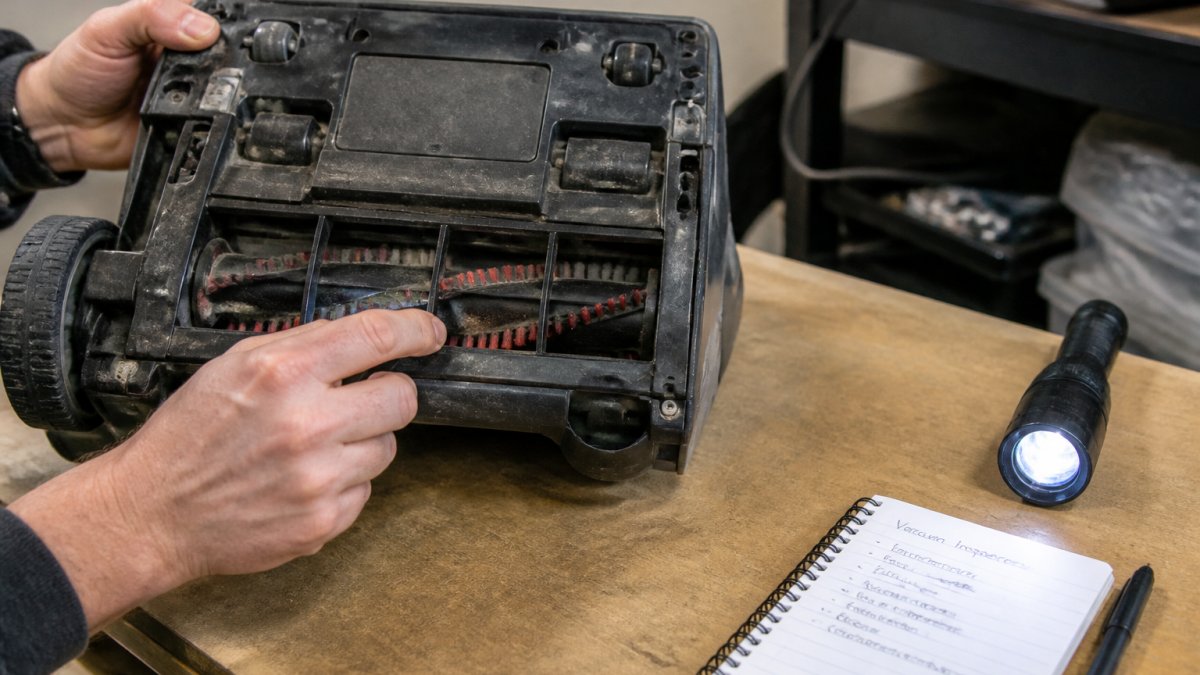
Work through these steps:
Don't skip the smell test: a burning motor is the most expensive failure to fix and rarely shows up in a five-minute demo.
The serial number is your key to everything. Manufacturers use it to date the machine and confirm the model.
Ask for the original receipt or a digital copy. Without proof of purchase, assume no coverage exists; a credit card statement can sometimes work, but a store receipt is stronger.
Compare the purchase date to the warranty period. If the term has expired, your only option is a protection plan.
A refurbished vacuum warranty depends on who did the refurbishing.
Factory-refurbished units often carry a short manufacturer-backed warranty (90 days to a year); retailer-refurbished units carry the store's own guarantee, which may be shorter and harder to enforce.
A refurbisher warranty covers the work they did, not the whole machine.
Ask these questions before buying:
Get the answers in writing. A verbal promise means nothing when a claim gets denied.
Vacuum warranty exclusions are where second owners lose claims, and the list is longer than expected.
Standard exclusions include:
Battery coverage deserves attention: many cordless warranties cover the battery for a shorter term than the vacuum, sometimes just one year.
Voltage spikes are another quiet killer: a surge can fry a control board, and no standard warranty covers it. A surge protector is cheap insurance.
A vacuum extended warranty makes sense in specific situations, not as a default add-on. The exclusion checklist decides whether a plan pays out at all.
Buy one when:
Skip it when:
Before you sign, read the plan contract and answer every question below.
Deductible. What do you pay per claim?
Shipping and handling. Who pays to ship the vacuum to the repair center and back?
Transferability. If you sell the vacuum later, does the plan follow it?
Cancellation and refund terms. If you cancel, do you get a prorated refund or nothing?
Run this comparison before buying any plan.
If the plan's total cost is close to or above the likely repair, skip it and self-insure by setting that money aside. If it's well below a covered repair, consider it.
Plans tend to pay off on premium machines with expensive electronics and fail on basic machines where a replacement costs less than the plan plus deductible. Match the plan to the machine, not the sales pitch.
Get every answer in writing. A plan that excludes the parts most likely to fail is worth nothing, however low the monthly price.
Warranty registration starts with the serial number and proof of purchase. Register the machine as soon as you own it, even if coverage is thin.
To check status, call the manufacturer's support line or use their online portal. Have your serial number, model, and purchase date ready.
Filing a claim follows a standard path:
Keep every email and reference number. If a claim gets denied, ask for the denial reason in writing. That paper trail matters if you appeal.
Total cost of ownership decides whether a used vacuum is a smart buy or a money pit.
Add the purchase price, any protection plan, and expected repairs over three years, then compare that to a new machine with full coverage.
Walk away when:
Buy when:
This is where buying from a specialist beats a private sale. At Vacuums Unlimited, we back our used machines with expert advice, genuine parts, and professional repair service, so a pre-owned vacuum doesn't become a gamble.
It depends on the brand and the plan. Many manufacturer limited warranties cover only the original purchaser and require proof of purchase and a serial number registered in their name. Some brands and most retailer-backed refurbished vacuum warranty programs do allow transfer, but you usually need the original receipt or an activation code. Before buying used, ask the seller for the receipt, the original packaging, and confirmation that coverage is transferable in writing.
Most vacuum warranty exclusions cover wear and tear, consumable parts like bags, filters, belts, and brushes, and damage from misuse such as vacuuming liquids or construction debris. Battery capacity loss on cordless models is often prorated or excluded after a set number of charges. Accidental damage and voltage spikes are rarely covered unless you buy a separate protection plan. Read the exclusions page for the specific model, not just the headline warranty length.
Sometimes, but the window is short. Manufacturer extended plans usually must be purchased within 30 to 90 days of the original purchase date, which rules out most secondhand buys. Retailer protection plans may be available on certified refurbished units at the point of sale, and third-party coverage can occasionally be purchased after an inspection. Compare coverage limits, deductibles, and what happens if the model is discontinued before you commit.
Start with the serial number, usually on a sticker under the vacuum or inside the bag compartment. Call the manufacturer's customer service line or use their online warranty lookup and ask for the coverage start date, expiration date, and whether the warranty is transferable. If the seller has the original receipt, that speeds things up. A used vacuum inspection checklist should include this call before money changes hands, not after.
Buying a used vacuum without checking coverage is the fastest way to waste money. Verify the warranty terms, inspect the machine, and keep your paperwork in order. If you'd rather skip the guesswork, Vacuums Unlimited offers curated new and used machines, genuine parts, and professional repair service from a team that's worked on these brands for decades. Shop Vacuums with Vacuums Unlimited and get a machine you can trust.